PageDrop
Vol. 0.9 · Free & open source Filed after May 20, 2026
Unsupported device

The store closed. The Kindle didn't.

PageDrop finds books on your phone and sends them to your old, jailbroken Kindle over Wi-Fi. No cable. No Calibre. No permission.

Android 8+ · needs a jailbroken Kindle with KOReader · GPL-3.0

File 01 How this came to be

I have a Kindle Paperwhite from 2012. The screen is perfect, the battery lasts weeks, and in all those years it has never once tried to sell me something I didn't ask for.

On May 20, 2026, Amazon decided it was done with it. Every Kindle and Fire tablet released in 2012 or earlier lost the ability to buy, borrow or download Kindle Store content on the device. The books already on it could stay. Sideloading still worked. The store was closed to it.

The device still worked. It just couldn't get anything new from the store.

So I jailbroke it. That part is easy now; the Kindle Modding Wiki walks you through it. What wasn't easy was everything after: Calibre on a laptop, a cable, an SFTP client, shell commands, PDFs that sliced a line in half at the bottom of every page, and books named OD4388757722 with no author and a grey square for a cover.

Reading had become an IT job.

PageDrop is what I built so it stops being one. Type a title on your phone. Tap send. It's on the Kindle across the room before you've put the phone down.

— Written on a phone, read on a Kindle Amazon gave up on
File 02 What it solves

Six things that made reading a chore.

  1. 01
    No store on the device

    Search, then send

    Find books from Project Gutenberg, Standard Ebooks, the Internet Archive and your own catalogs. Pick one; it arrives in the best format your Kindle can read.

  2. 02
    Cables and Calibre

    Your phone is the whole toolchain

    Searching, converting and sending all happen from the app. Files travel to the Kindle over your Wi-Fi, through KOReader's SSH server, and show up on its home screen and in KOReader at the same time.

  3. 03
    PDFs that cut lines off

    PDFs that read like books

    Hard line breaks unwrapped, running headers and page numbers stripped, and paragraphs rejoined across pages. This works on PDFs that contain text. Scanned pages aren't OCRed; keep those as PDF.

  4. 04
    “Unknown Author”, no cover

    Books that know their names

    Title, author and cover come from the file itself and from open catalogs, then get written into the book, so the Kindle shows them properly too.

  5. 05
    What's even on it?

    The Kindle, from your pocket

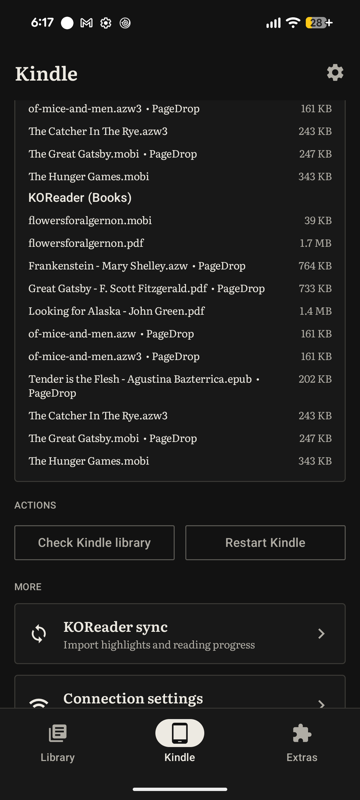
    See every book on the device, delete what you've finished, and save Kindle-only books back to your phone.

  6. 06
    Where do I even start

    A setup that holds your hand

    A step-by-step checklist sends you to the Kindle Modding Wiki for the jailbreak, then handles KOReader, updates and Wi-Fi with you.

File 03 How it works

Three steps. One of them, once.

Get your Kindle ready

Jailbreak, install KOReader, switch on its SSH server. PageDrop walks you through it and finds your Kindle on the network.

Find a book

Type a title. Or share a file to PageDrop from anywhere on your phone.

It's on your Kindle

Converted if it needs to be, named and covered properly, sent over Wi-Fi. Done.

File 04 Evidence
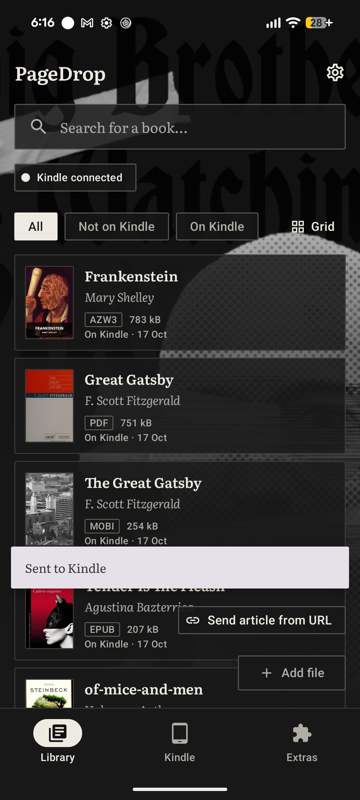
Library with covers and a search field
The library
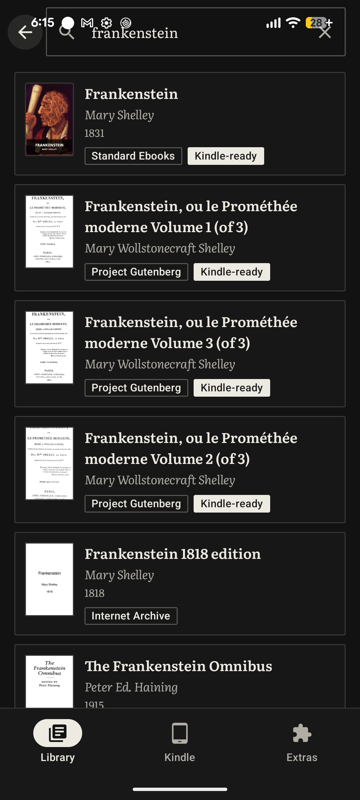
Search results for Frankenstein
Find a book
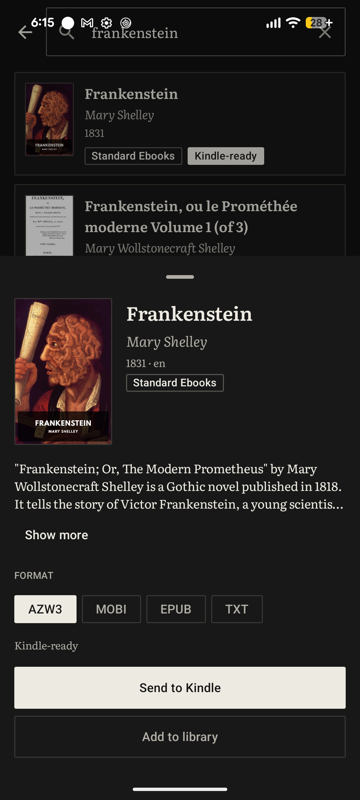
A book ready to send to the Kindle
Send to Kindle
Books currently on the Kindle
On your Kindle
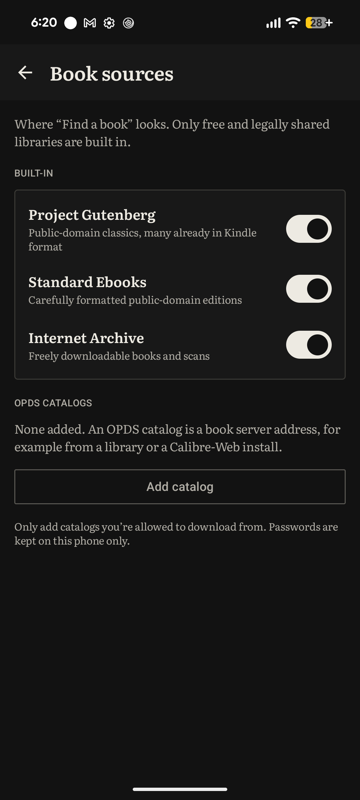
Book sources settings
Your sources
File 05 The fine print

You'll need

An Android phone and a jailbroken Kindle running KOReader, on the same Wi-Fi. Tested on a 2012 Paperwhite, firmware 5.6.1.1. Other Kindles with KOReader should work but are untested; see the device list.

What leaves your phone

No account, no analytics, no ads. By default, a book that needs converting goes to PageDrop's conversion server, after PageDrop asks, and is deleted about 24 hours later. One switch keeps everything on the phone. Searching and downloading contact the book sources you use. Every host, listed.

Open source

GPL-3.0. Read it, fork it, fix it on GitHub, or come argue about fonts on Discord. Jailbreak guides live on the Kindle Modding Wiki.

File 06 If your Kindle lost the store

What now?

Your options, simplest first, from keeping it as it is to USB and Calibre to a jailbreak. Read it.

No computer

Putting books on a jailbroken Kindle from just a phone, with PageDrop or by hand. How.

Your model

Paperwhite 1, Touch, Kindle 4 and 5, Keyboard: what works and what's been tested. Models.

Big Brother is watching. Read anyway.