Your matrix, alive.
Set up your WLED matrix in three taps, then fill it with 13,000+ animations. Draw, write, play and put your music on the wall. Free, open source, no account.

Flip through it like TV.
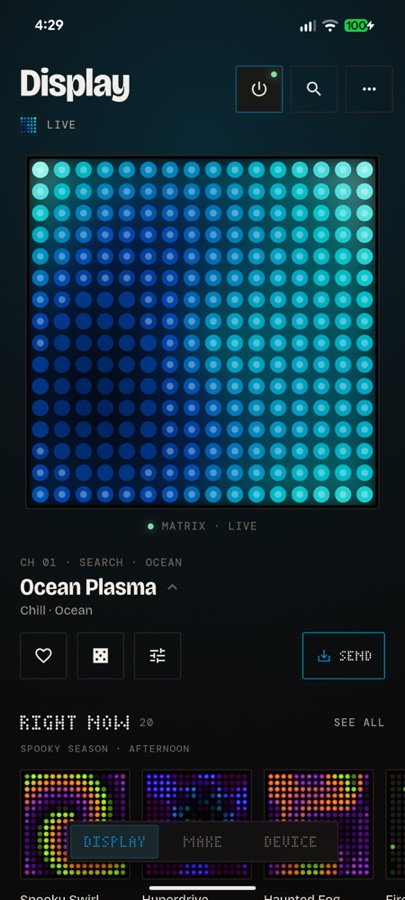
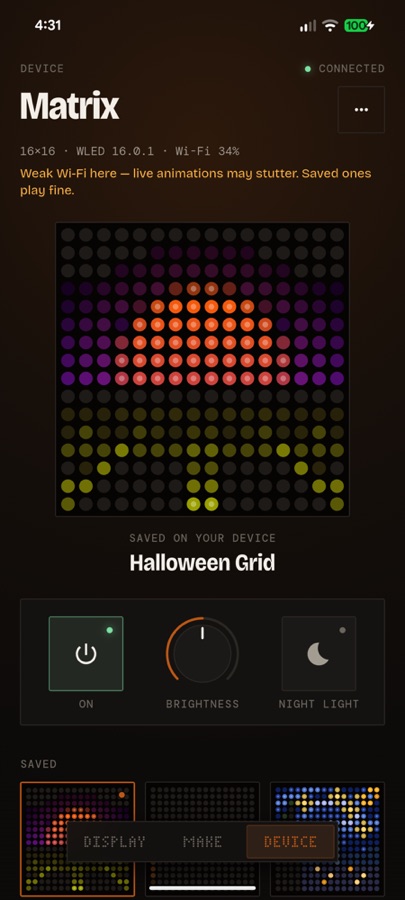
Your matrix sits at the top of the app as a glowing live Stage. Swipe it to change channel, roll the dice for a surprise, and the whole app takes on the colour of whatever is playing.
Try the Stage here: swipe it or use the arrows.
- 13,000+animations in subject groups, all searchable and offline
- 12,361from a pixel-art collection, shared with its creator's permission
- 356original and CC0 pixel-art sprites, plus public-domain classics
- 62live effects: plasma, fire, aurora, falling sand…
Rocket Ship
Make any look yours.
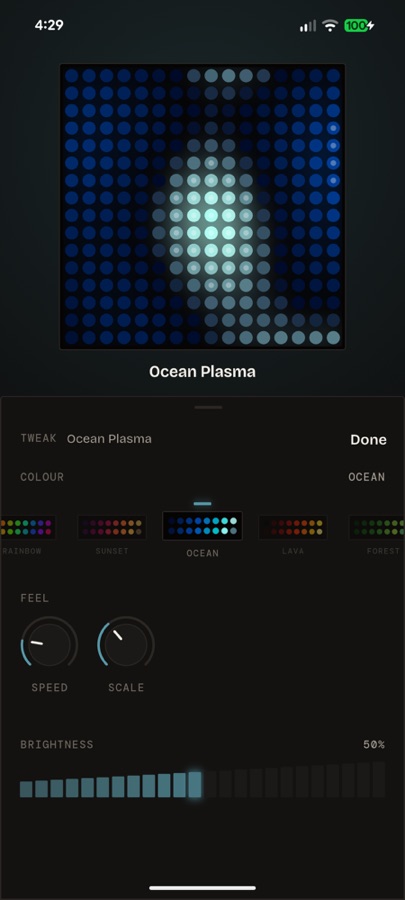
Pull up Tweak and the Stage stays in view. Spin through palettes on a reel, turn rotary knobs for speed and density, and every change lands on the matrix as you make it. There's no Apply button.
Draw it, write it, play it.
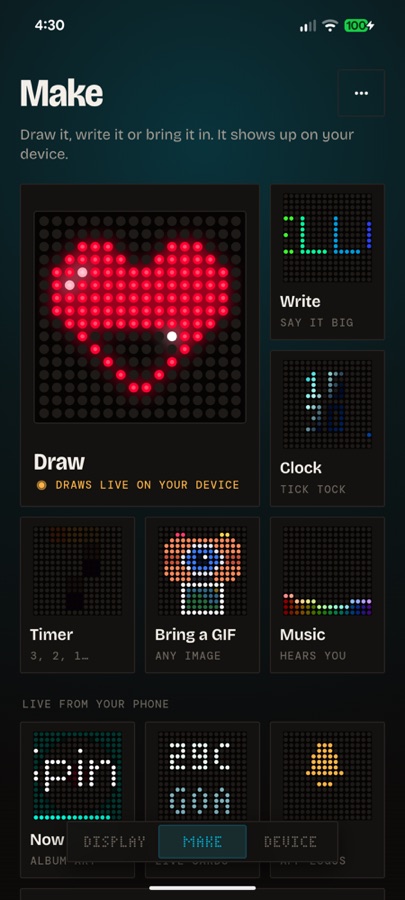
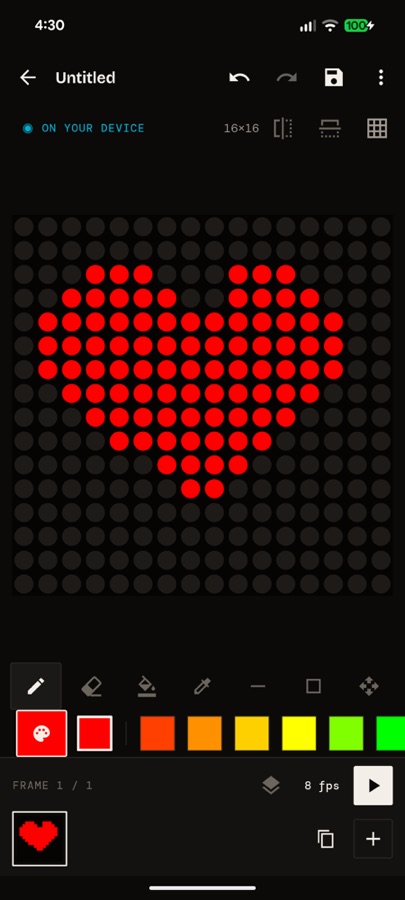
Draw pixel by pixel, or start from a photo or GIF, and watch each stroke land on the wall. Write scrolling words, run a clock or a countdown, bring in a GIF, or let the music visualiser listen to the room.
Seven games turn your phone into the gamepad, with big labelled buttons where your thumbs rest. Share a drawing with the community and everyone with Glyph can play it.
- Draw16×16 or your matrix's size, mirror tools, live on the device
- Writescrolling text, clocks and timers that keep their own time
- PlaySnake, Blocks, Brick Breaker, Pong, Flap, Racer, Invaders
Your phone renders every frame.
Effects, sprites, drawings and games all run on the phone, so even a small ESP32 shows things it could never compute on its own. Then Glyph does one of two things.
Live, as you touch it
Frames go straight to the matrix over your Wi-Fi. Swipe, turn a knob or draw a pixel and it's on the wall before your finger lifts.
DDP · up to 40 frames a second · colours matched to your LEDsKeeps playing without you
Tap Send and the animation is saved on the controller. Close the app and leave the house; it keeps going, and Routines play it on a schedule.
Seamless loops · Saved looks, Shows and RoutinesThree taps and it's wired.
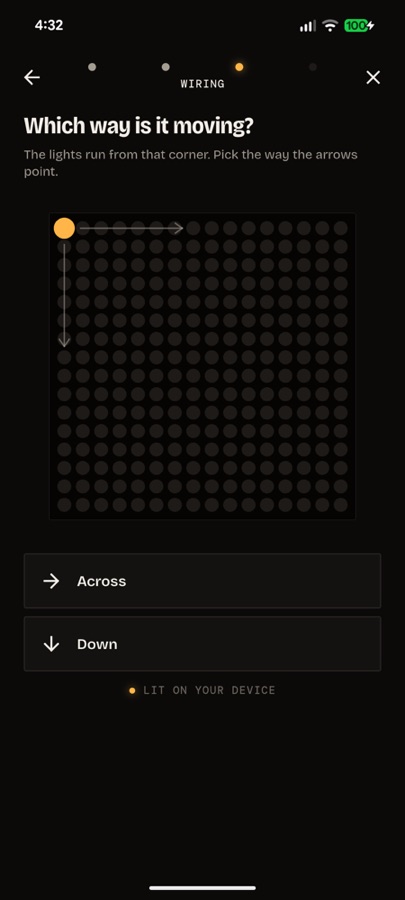
New panel, unknown wiring? Glyph joins it to your Wi-Fi, lights one corner and asks what you see. Three answers find the start corner, the direction and the zig-zag, and Glyph writes them into WLED itself.
- Gridsseveral panels, their order and any upside-down ones
- Timeyour matrix sets its own clock, so Routines run on time
- Undoone tap puts the old settings back
Glance, music and your smart home.
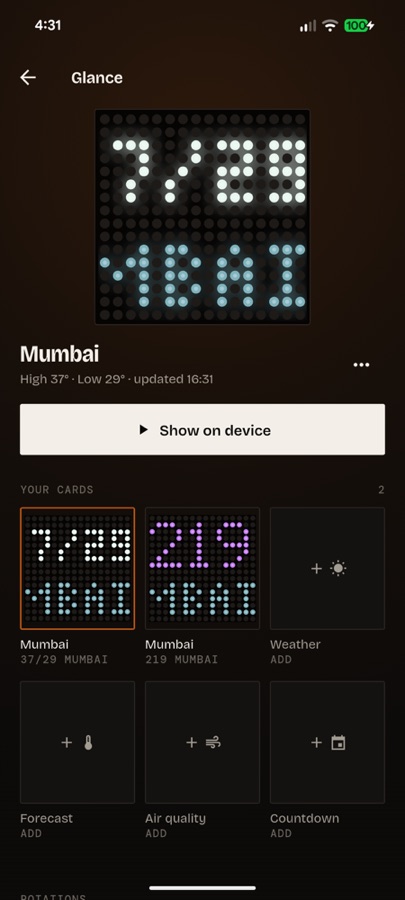
Show the weather, a three-day forecast, air quality or a countdown, cycled in Rotations. Put the album art of what's playing on the wall. Flash an app's logo when it notifies, never the message.
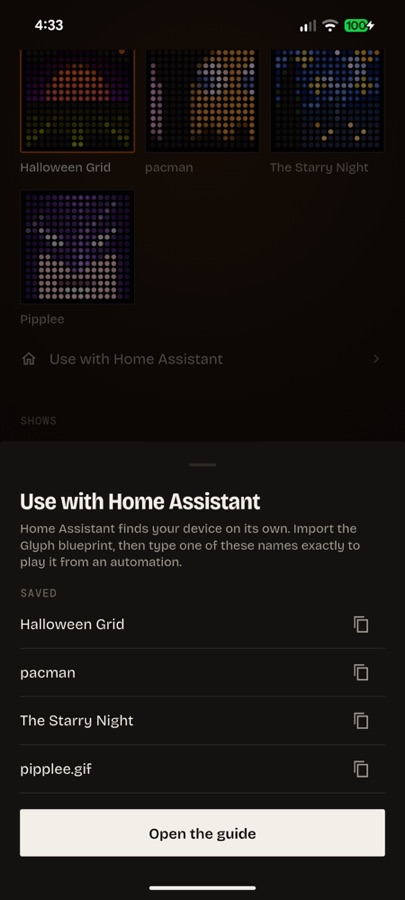
Home Assistant blueprints show a Saved look or play a Show when the doorbell rings, then go back.
No account. No ads. No Glyph server.
Glyph talks to your matrix on your own Wi-Fi. The only other calls are weather from Open-Meteo when you add a card, and the signed animation list from GitHub when you check for new ones.
Wake up your matrix.
Android 7 and newer. Your controller needs WLED installed (install.wled.me) and your phone on the same Wi-Fi; Glyph's setup does the rest.
| Controller | Stream live | Send to device |
|---|---|---|
| ESP32 · S2 · S3 · C3 on WLED 16+ | Yes | Yes |
| ESP32 on WLED 0.14–0.15 | Yes | Built-in effects only |
| ESP8266 | Yes | No GIF player in WLED |
Tested: a 16×16 WS2812B panel on an ESP32 with WLED 16.0.1. Expected to work: other single-panel sizes, SK6812, HUB75 on ESP32 builds. Not yet tried on hardware: a never-configured controller, grids of several panels, live Home Assistant, iOS. Tell us how yours goes.